Skip to content

TO:
All Principals
All Assistant Principals

FROM:
Administrators of Schools


Please share the attached flyer with the future school leaders in your building.

The BYU School Leadership Program invites educators to learn from current school, district, state, and university leaders about becoming a principal. The Academy is a great way to get a taste of school leadership and learn best practices for applying to principal preparation programs and future leadership positions. The district will cover the cost of your substitute teacher, and BYU will award a $1,000 scholarship to any participants who are accepted to and attend BYU’s Masters of School Leadership Program.

APPLY BY AUGUST 28, 2026.

TO:
All Administrators
All Administrative Assistants

FROM:
April Gaydosh, Administrator of Human Resources
Brent Burge, HR Administrator


Important Update to FMLA Leave Calculation Method

We would like to inform employees of an upcoming change to the District’s Family and Medical Leave Act (FMLA) leave calculation method.

Effective July, 27, 2026, the District will transition from using a fixed 12-month calendar method to a rolling 12-month period from the date FMLA leave is used.

Under the rolling 12-month method, each time an employee uses FMLA leave, the District will look back 12 months to determine how much FMLA leave has already been used and how much remains available. This method is permitted under federal FMLA regulations and is intended to provide a more consistent and equitable administration of leave benefits.

This change may affect how available FMLA leave is calculated for employees who have previously used FMLA leave within the prior 12 months.

If you have questions regarding your FMLA eligibility or available leave balances, please contact Human Resources at leaves@jordandistrict.org or 801-567-8429.

TO:
Elementary Administrators

FROM:
Carolyn Gough, Administrator of Teaching and Learning
Mandy Thurman, Elementary Language Arts Consultant of Teaching and Learning
Michelle Lovell, Elementary Language Arts Consultant of Teaching and Learning


Save the date and share the following optional professional development opportunity with your teachers.

Literacy Live: Grades K–6 Fall Conference will be offered during the district’s first teacher professional development day on September 25, 2026. This engaging learning experience is designed to support K–6 educators through breakout sessions focused on effective literacy instruction, practical classroom strategies, and implementation-ready resources. Participants will also have opportunities for collaboration, networking, and prize drawings throughout the event.

TO:
All Administrators

FROM:
Carolyn Gough, Administrator of Teaching and Learning


The Utah State Board of Education (USBE) has selected a new platform to support the Professional Learning credit tracking and registration system, Recommended Instructional Materials (RIMS), and Microcredentials (formerly MIDAS). 

MIDAS will go into an inactive status at 11:59 pm on June 9th. No new work or continuing work will be allowed in the MIDAS system after this time.
Please consider completing the following items in the MIDAS system by 11:59 pm on June 9, 2026:

  • Adding new professional learning courses or sections to an existing course happening June 1- July 20 that require registration
  • Register for professional learning courses that are currently available
  • Award credit or relicensure points for a course that has ended or will end by June 8th  
  • Microcredential submissions or resubmissions (please note it will not be reviewed or approved during the inactive time)
  • Reviewing microcredentials in your review queue (microcredential reviewers only)

The current MIDAS system will not be accessible after June 30, 2026. 

Educators will still have access to their transcripts while MIDAS is inactive.
Directions for downloading a transcript in MIDAS:

  • Log in to MIDAS 
  • Click on My Profile
  • Click on PD Transcript
  • Click on the red "Print Transcript" button

TO:
All Administrators

FROM:
Bonnie Brennan, Director of Insurance Services


Please let your employees know that the Benefits Open Enrollment dates have changed.  This year, open enrollment will be held from July 20, 2026 - August 20, 2026, and all changes will be effective September 1, 2026. You will also be receiving posters like the attached flyer.  Please post them where your staff will see them.

If you or any of your staff have questions, please have them reach out to Insurance Services, insurance@jordandistrict.org, (801) 567-8146. Thank you.

TO:
Administrators

FROM:
Carolyn Gough, Administrator of Teaching & Learning
Amanda Bollinger, Associate Administrator of Teaching & Learning
Jared Covili, Digital Teaching & Learning Consultant
Amy Lloyd, K-12 Math Consultant


Please share this information with your teachers.

Many of your teachers are pursuing a STEM endorsement (see our EIP website for a full list of endorsements). USBE WILL REIMBURSE THEM FOR THEIR COLLEGE CLASSES. This is called the STEM Endorsement Incentive Program (EIP) and it has been funded again for the 2025-26 school year. Teachers can apply here. See the link to our EIP website for more information.

Applications for reimbursement are now being accepted for teachers who completed STEM courses after July 1, 2025. The next round of reimbursement applications is due May 27, 2026 for teachers who completed STEM courses in Winter/Spring 2026.

If you have any questions, please reach out to your content consultant. We would love to talk to you!


TO:
Second-Grade Teachers
Instructional Coaches
Building Administrators

FROM:
Carolyn Gough, Administrator of Teaching & Learning
Michelle Lovell, Elementary Language Arts Consultant of Teaching & Learning


The Elementary Literacy team is cooking up something amazing in 2nd grade!

They are thrilled to announce a new professional development series for the upcoming school year, specifically designed for 2nd-grade teachers!

These courses will help them to meet the quarterly literacy goals and will be centered around the theme of the mentor text, The Best Chef in Second Grade by Katharine Kenah. Participating teachers will get a copy of this book and many other practical tools and supplies to use immediately in their classroom.

Help refine the recipes for student success and connect with other 2nd-grade chefs. Here is a preview of the four "tasty courses" being offered next year:

Quarter 1: Accuracy in Every Bite- Aug. 6 or Sept. 11
Quarter 2: A La Carte Learning- Flexible dates in October-November for a micro PD your team chooses from a menu of offerings.
Quarter 3: Chef’s Special- Jan. 22 or Jan. 29
Quarter 4: The Secret Sauce- March 5

Sign up now for our first session at pd.jordandistrict.org. The team looks forward to cooking up a fantastic year of learning with you!

TO:
All Schools and Departments

FROM:
Kurt Prusse, Director of Purchasing


Handling Vendor Quotes That Need Signatures

When ordering furniture, software, or renewals, some vendors might ask for a signature on their quote to confirm details or terms before processing your order. Some vendors are treating quotes as their terms and conditions and/or as approval to move forward which can cause double ordering.

To help ensure all agreements align with District terms and conditions and that your Purchase Orders (POs) are approved smoothly, please use the following quick process:

  1. Review & Initial: Have your school administrator review the quote and initial next to the signature line to confirm the details are correct.
  2. Attach in Skyward: Attach that initialed quote directly to your PO Requisition in Skyward Qmlativ before sending anything back to the vendor.
  3. We’ll Handle the Rest: Once we receive your requisition, the Purchasing team will secure the official authorized signatures and finalize your PO.

This simple workflow keeps your orders on track and protects the District from unauthorized purchases and unfavorable terms.

Thank you so much for your help with this! If you have any questions or need assistance getting quotes from vendors, please reach out—we’re always happy to help.

TO:
All JSD staff who use Qmlativ Finance

FROM:
John Larsen, Business Administrator
Dan Ellis, Director of Accounting
Natalie Grange, Accounting Administrator


The Accounting team has created instructions for Qmlativ, with screenshots, demonstrating how to complete cash receipts, journal entries, move money requests, E-checks, etc. Find this information on the Information Systems website, Documentation quick access tab, in the Accounting/Qmlativ folder.

General process updates
1-Accounts Payable Receiving Module/Verifieds: Please hold off on entering items under the receiving module and return to sending in your signed verification forms (i.e., packing slip, PO, invoice). We are working through a process to properly track received items, so please use the old method until we can communicate out a new process.

2- Insurance Corrections: A correction has been posted to the benefits accounts for the issue in April. We will send out reports showing the updated balances as soon as possible.

Date:
May 21, 2026

To:
All Administrators
All Admin Assistants

From:
Steffany Ellsworth, Support Services Manager, Information Systems

Subject:
Got Qmlativ Questions? We’ve Got Answers!


Our recent Qmlativ workshops have been a huge success, and we’re keeping the momentum going by offering additional sessions throughout the summer! Drop in for help with creating journal entries, viewing your budgets, submitting a travel request, approving time off and time tracking submissions, and much more. You can also get help working through processes, setting up views and filters, and customizing your dashboard and dock. Once you feel comfortable navigating the system, we’ll teach you how to submit a time off request to enjoy the hot summer days!

We are available between 9:00 am to 3:00 pm, no appointment needed. Just bring your laptop and drop in when it’s convenient for you. Upcoming dates and locations for workshops:

● Friday, June 12th at the District Office, Room 129
● Friday, June 19th at the District Office, Room 129
● Thursday, June 25th at the District Office, Room 129
● Tuesday, June 30th at the District Office, Room 129
● Thursday, July 9th at the ASB, PDC 101
● Monday, July 13th at the District Office, Room 129
● Monday, July 20th at the District Office, Room 129
● Tuesday, July 28th at the District Office, Room 129

TO:
Elementary Administrators

FROM:
Carolyn Gough, Administrator of Teaching and Learning
Mandy Thurman, Consultant, Elementary Language Arts, Teaching and Learning
Michelle Lovell, Consultant, Elementary Language Arts, Teaching and Learning


We are excited to announce a new professional development series for the upcoming school year, specifically designed for 1st-grade teachers.

These courses will help you to meet the quarterly literacy goals and will be centered around the theme of building strong readers. Participating teachers will receive a copy of the mentor text, Mighty, Mighty Construction Site by Sherri Duskey Rinker, as well as other practical tools to use in their classrooms

Join us as we lay the foundation for student success and connect with other 1st-grade builders. Here is a preview of the blueprint for the 2026-2027 school year.

● Quarter 1: Laying the Foundation: August 5 or September 11

● Quarter 2: Building the Framework: November 6 or November 13

● Quarter 3 and 4: Final Inspection: January 22 or January 29

Sign up now for our first session at pd.jordandistrict.org. We look forward to building a fantastic year of learning with you.

TO:
Administrators, Administrative Assistants, Employees

FROM:
Sarah Palmer, Director of Payroll


TIME TRACKING AND TIME OFF
Last Day of School - June 4

Please make sure all of your Time Tracking and time off is submitted and approved before leaving for summer break.

Last contract day for the 2025-26 school year
June 4th – last day of school (180 days)
June 5th – teacher checkout (184 and 187 days)
June 12th – last day for elementary administrative assistants (206 days)
June 19th – last day for extended teachers/specialists/coordinators (207 days)

TO:
Administrators and Administrative Assistants

FROM:
Sarah Palmer, Director of Payroll


TEACHER CHECKOUT DAY – JUNE 5
All Licensed Employees

As per District policy, DP335NEG-Annual Leave-Licensed, licensed employees may not take annual/personal leave on the teacher checkout day on June 5th. However, through correlation with the principal, they may arrange to exchange this day for another non-contract day.

TO:
Administrators and Administrative Assistants

FROM:
Sarah Palmer, Director of Payroll


ANNUAL/PERSONAL LEAVE DURING THE LAST FIVE DAYS OF SCHOOL
May 29th – June 4th
All Licensed and ESP Employees

Per District policy, annual or personal leave days may not be used during the last five days of school, unless the leave reason is listed in policy as an exception. If any of the exceptions do apply, you must provide both the leave reason and the policy exception in the time off description. If these exceptions are not applicable, your annual/personal leave day will be changed to a no-pay day as per policy.

______________________________________________________________________________

DP335NEG-Annual Leave-Licensed
DP335B-Annual Leave-Education Support Professionals

7. Annual leave shall not be taken during the last five (5) days that students are in school except under the following conditions:

a. To attend the wedding of a near relative including child, father, mother, brother, sister, grandchild, grandparents or same to one’s spouse or any other person who is a member of the same household as the employee.
b. To attend to personal or business matters which require the employee’s attendance and scheduling is beyond the employee’s control.
c. First year employees who notify their supervisor in writing that they are ill.

TO:
All Principals
All Assistant Principals

FROM:
Scott Thomas, Administrator of Auxiliary Services
Steve Peart, Director of Custodial


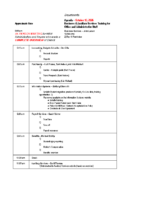
We would like to make school administrators aware of the custodial summer cleaning responsibilities. Included are three summer cleaning responsibility checklists for your reference, as well as two links for training videos. These may help you track the progress of the inside cleaning and grounds upkeep of your schools throughout the summer.

Classroom Summer Cleaning Video
Summer Restroom Cleaning Video

TO:
Principals


Principals,
Please re-share the link below with your faculty and staff that was recently posted in JEM. We want to make sure everyone has a chance to claim their personalized Walmart+ code.

GREAT NEWS! Board Purchases One Year of Walmart+ for Every JSD Employee

TO:
All JSD staff who use Qmlativ Finance

FROM:
John Larsen, Business Administrator
Dan Ellis, Director of Accounting
Natalie Grange, Accounting Administrator


The Accounting team has created instructions to learn how to complete journal entries, move money requests, entering E-checks, the availability and use of financial reports, and data conversion information. Use the quick links below to go directly to a section of interest. Please share this post with anyone you feel would benefit.


Journal Entries

Journal entries to the same fund are operational and should be entered as usual.

Skyward Finance currently does not have the Due to/Due from offsets feature functioning for journal entries.  The Due to/Due from offset is required when doing journal entries across funds.  In order for Accounting to fix your JEs so they will process, please select your “Pay Other Loc” journal entry group.  The correct journal entry group must be selected when you start your JE.  It cannot be adjusted after the fact.  For now, follow the instructions below to get your JE’s submitted to accounting who will fix the due to/from offset.

  1. Click the Add a Journal Entry
  2. Add attachments
  3. Select the “Pay Others Loc” Journal Entry Group for your location.
    Add Journal Entry Example
  4. In the Journal Details screen (quick entry/journal entry detail) do the following for each scenario:
    To pay another school- Please only include this single transaction in the journal entry.
    Journal Entry - To pay another school
    To pay Nutrition- copy the same accounts used for your debit and credit and reverse the debit and credit amounts.  Include the phrase “due to/due from” in the short descriptions and Accounting will fix your entry.
    Journal Entry - To pay Nutrition
    To pay transportation - copy the same accounts used for your debit and credit and reverse the debit and credit amounts.  Include the phrase “due to/due from” in the short descriptions and Accounting will fix your entry.
    Journal Entry - To pay Transportation

If your journal entry includes more than two funds, it will be easier to send them to Accounting to be entered. Please contact Accounting for instructions.

The “Pay Others Loc” Journal Entry Group should only be used in the situations above.  For corrections within your own location, use the Journal Entry group with your location number.


Move Money

The move money process task can be found in the “My Tasks and Processes” menu.  Under my processes on the left side, select “Start a Process”.  Click the “Start” play button next to the Payroll Move Money to a different account task.
Move Money Task

As before, please enter the name of the employee for which payroll existing payroll charges need to be moved.  Then click on the “form” hyperlink called “Payroll Move Money to Different Account”.  A box will pop up alerting you that you will be opening a new browser tab.  Click ok.
Payroll Move Money to Different Account

Another tab will open where you can enter check dates of pay to move.  You must enter the dates you wish moved.  Move moneys can only move payroll that has already been paid.

Enter either an amount, or a % to move for each account.

Enter the full account number of the incorrect account and the correct account.  You can enter more than one account with a % split.

Please provide an explanation of the reason for the move money.

Please attach back up documentation at the bottom, under upload files.

At the top you can save and exit, which enables you to come back to this task at a later date, or submit form.
Moving money - submit form


Reports

The following reports in the “accounts” menu have been created and tested by Accounting.  With the exception of the encumbrance issue below, they are accurate and represent correct program accounting information.

JSD-Budget Report by Object - This report is a summary of revenues and expenditures. The input screens allow you to select the month, specific program, functions, and/or objects.  The bottom of the report has a grand total of revenues, expenditures, and net activity.

JSD-Revenue and Expense Detail - This report lists the detail transactions by account for selected programs, functions, and/or objects.

Fund 21 Summary Reports are being tested now and will be available soon.


Differences in Systems

Remaining Balance Column
The remaining balance column on the account list screen and on all reports is calculated by subtracting activity and encumbrances from the revised budget column.

revised budget – activity – encumbrance = remaining balance

If an account has a zero budget the remaining balance column will always be negative.  JSD does not budget every line item in most school allocations, Fund 21 or Fund 75 accounts.   Thus, the remaining balance column should not be used to determine the “balance” left in an account.  The subtotal amount on the account list screen will also net all numbers together, rather than calculating an actual remaining balance.

Presently, the “JSD Budget Report by Object” report (located in account/reports) can be run for specific accounts or groups of accounts and includes a calculated feature on the last page showing total revenues, total expenses, and NET balances.  This balance can be relied upon to reflect the overall picture of an account (with the exception of the encumbrances section below).

Revenues are credit balances
This system displays revenues with their natural accounting credit balance on the account list screens.  Credits to a revenue account increase the balance of a revenue.  Credits are good, they mean you collected revenue.  This is a difference from our old system.  Please don’t be alarmed when seeing credit balances in revenue accounts.

The “JSD Budget Report by Object” report masks the sign of revenues and displays them as a positive balance, like the previous system.  This report includes a calculated feature on the last page showing total revenues, total expenses, and NET balances.  This balance can be relied upon to reflect the overall picture of an account (with the exception of the encumbrances section below).

Both representations are correct.


Known Conversion Issues

Encumbrances
Encumbrances related to PO’s did not convert into the new system 100% correctly.  During conversion PO’s that were not fully closed or had line items that were not fully liquidated in the old system came into the new system as open PO’s.  Some PO’s did not get closed fully in the old system before conversion.  As a result, encumbrances are in varying states of accuracy.   IT and our vendor are looking into this issue and working on suggested resolutions.

Until this is resolved be advised that budgets are accurate and activity (expenditures) converted accurately.   As you are reviewing the status of your accounts, please carefully examine encumbrances to make sure they are reflecting correctly.  You can review the SMS system(old system) to review specific details.

Revenue and Expenditure Detail Reports
A JSD Revenue and Expenditure Detail report has been created, but not made available district wide. We have not made this report available because transactions created by Echecks are not pulling into these detail reports correctly.  The transactions exist and were converted into the new system, but for an unknown reason these transactions won’t pull into the detail reports.  Reports run at the present are missing data and do not agree to summary reports.

Balances on the “JSD Budget Report by Object” are accurate and do include these transactions in the totals.  We are awaiting the vendor to resolve this issue.  Account details can still be obtained in the old system for transactions through April.

Skyward is working on this as of 05/13/2026 and are hopeful it will be resolved before the end of the month.


E CHECKS

Batch name
The E-Check template has a batch name that is populated with abbreviations “ECHK” or “ECHK2”.  Please do not edit this field.  Leave this batch name as is, you do not need to change it.

Description to print on check
Adding an E-Check – Please make sure to include any information to help the vendor identify payments i.e.( account number, customer number, etc.) in the E-Check in the description code on the “Add Invoice” page (highlighted in red below). This description field prints on the memo line of the check. Please do not add your description to the “Save & Add Details” description box. This box does not print on the check.

Add check description after school name in red below:
Echecks - Add Invoice

Add any other detail that will helpful to you the invoice details description box below (in yellow).  Please note that this field will not be printed on the check or be seen by the vendor.
Invoice Detail Details

If you have any questions, contact the Accounting team at 801-567-8266.


9/11 Project Save the Date Flyer

TO:
Principals and Assistant Principals


FREE! Give your students the opportunity of a lifetime, dedicated to honoring the heroes of 9/11
Give your students the opportunity of a lifetime, dedicated to honoring the heroes of September 11, 2001. The Major Brent Taylor Foundation invites Jordan District schools to a FREE immersive experience that bridges the gap between history and the modern day.

Jordan School District schools have advanced registration through Friday, May 22, before all other districts. Don't let this opportunity pass you by!

  • What:
    • Free busing is provided to the event.
    • Guided Tours: Walk through history in our world-class immersive museum. Tours usually last 60-90 minutes. Plan on visits lasting 2-2 1/2 hours, including the tour and loading and unloading buses.
    • Interactive Exhibits: Get hands-on with Touch-a Truck for military and first responder vehicles.
    • Leadership Lessons: Meet the heroes who keep our communities safe.
  • When: During the School Day, Sept. 10 and 14, 2026
  • Where: South Jordan Equestrian Park

This experience ensures the lessons of 9/11 are never forgotten, inspiring the next generation to serve and lead.

To request a bus for your classes to experience this immersive and educational 9/11 Project, use the link below. For more information, please visit the 9/11 Project page. You can also check out the 9/11 Project Overview flyer.