TO:
Administrators & Administrative Assistants
FROM:
Dr. Mike Trimmel, Assistant Director of Talent Development
To access Vector reports.
- Log in to your Vector account https://jordansd-ut.safeschools.com
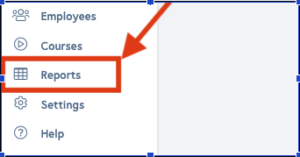
- Navigate to the Reports tab on the left side of the screen.
- Click the links below for a tutorial on how to use Vector reports. Compliance by Employee Report: The Compliance by Employee report contains a variety of filter options, allowing you to customize the data that appears in the report. This report will provide you with a preview prior to exporting the data to excel.Completions by Employee: This report lists all completions, regardless of whether or not the assignment was mandatory.If you have questions regarding Crucial Policies, contact Mike Trimmell, Ed.D. in Human Resources:
Phone: 801-567-8462
Email: michael.trimmell@jordandistrict.org