TO:
All Administrative Assistants
FROM:
John Larsen, Business Administrator
Kurt Prusse, Director of Purchasing
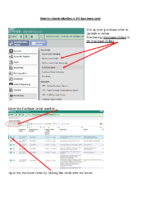
With the new Qmlativ finance system, finding things is different from the old SMS system. Here is a brief tutorial of how to check on the status of a PO and whether or not it has been paid. You will be able to see if it has been paid for or is still waiting for some other approval or process. When a purchase order is paid, it will not move to a History status; it will remain Open until the end of the month. The tutorial will walk you through how to see this.
If there are other helpful tips you need, please don't hesitate to contact the Purchasing Department so we can help you. It may be something other people are struggling with too. There are other useful tutorials on our website that may be of help to you.